

Find a customer
Find a customer and the orders they placed on the website.
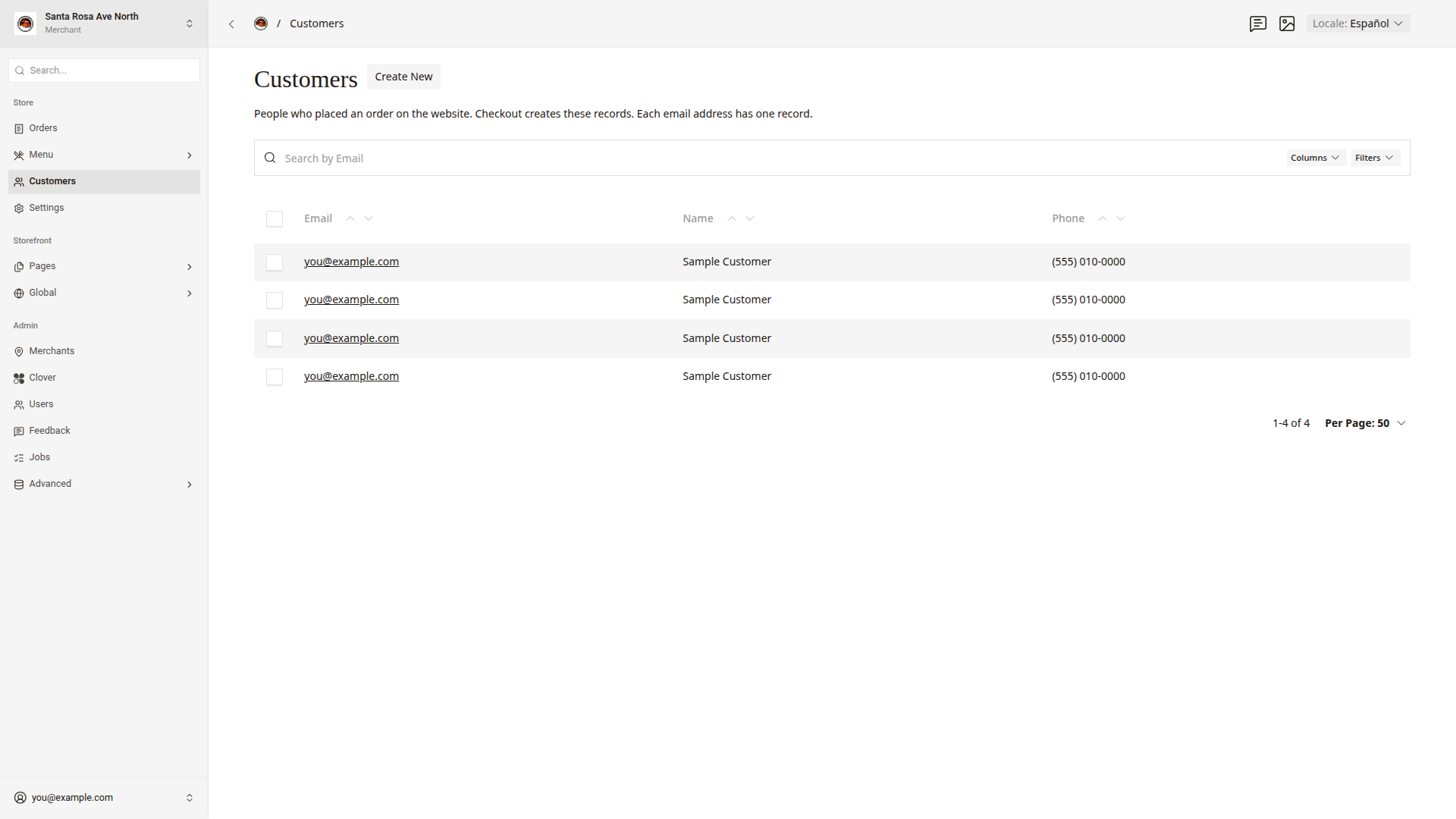
The Customers list has one record for each email address that placed an order on the website. Use the Customers list to find all of a customer's orders.
Search for a customer
- Click
Customersin the side menu. - Type the customer's email address in
Search by Email. - Click the email address to open the record.
See their orders
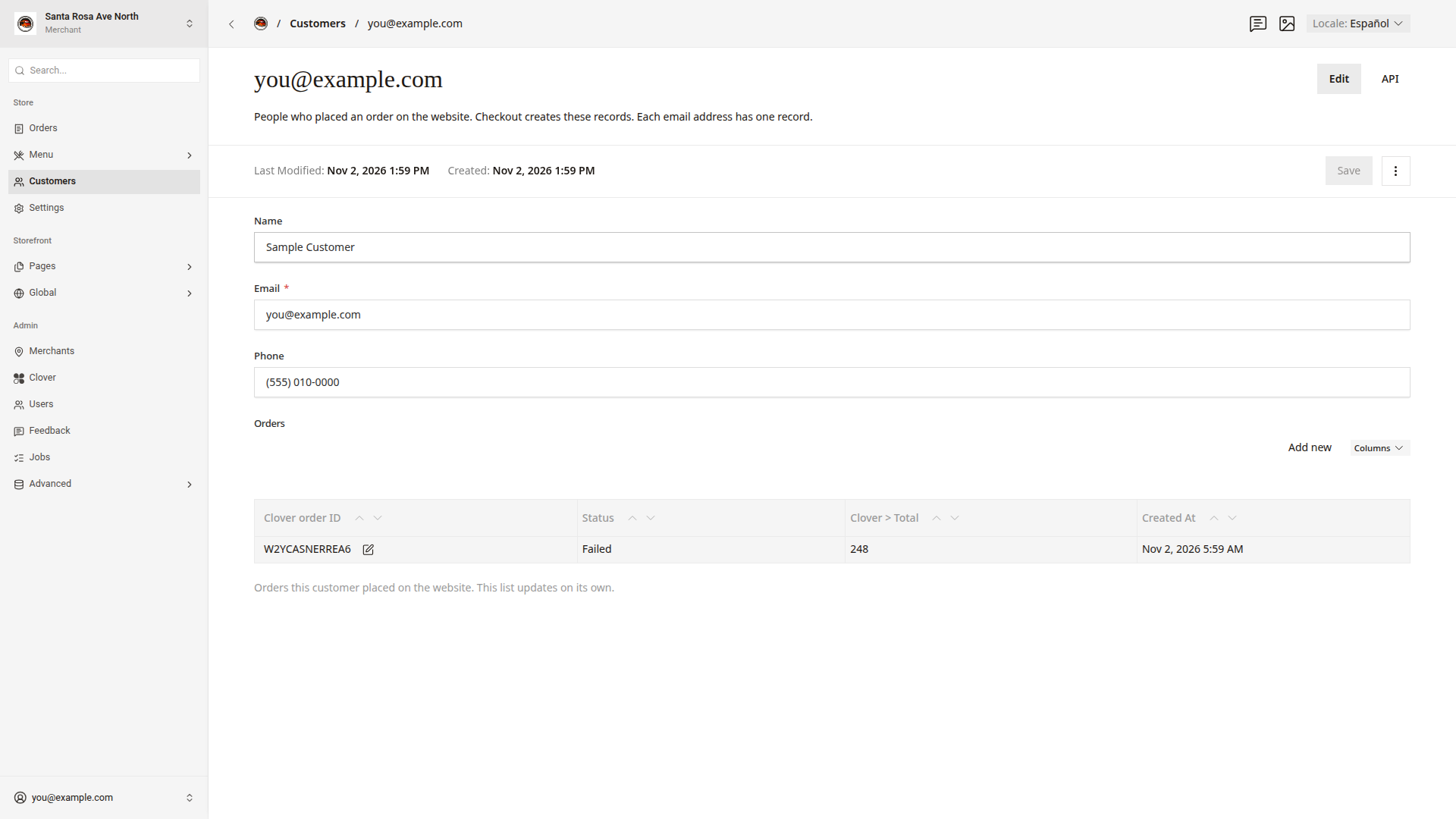
The Orders list at the bottom of the record shows each of the customer's orders. Each row shows Clover order ID, Status, Clover > Total, and Created At.
- Find the order in
Orders. - Click the pencil icon next to the
Clover order IDto open the order.
Good to know
- Checkout makes the record the first time an email address places an order. Later orders do not change the name or the phone number in the record.
- Each order keeps the contact details from its own checkout. Open the order and look at its
Contactsection. Clover > Totalshows the total in cents. For example,1764means $17.64.- Do not create or change customer records. A change here does not reach Clover or the orders.
- Customers do not have a sign-in or a password on the website.
- Customer details are private. Do not share them outside the store.