

Fix a stuck order
Check an order again with Clover, and find a kitchen ticket that did not print.
Use this page when an order's Status does not match Clover, or when the kitchen did not get a ticket. The dashboard checks each order with Clover on a schedule. Reconcile order runs that check now.
Check an order again
Use Reconcile order when the order's Status does not match Clover. For example, the payment stays Pending, or a refund that you made in Clover does not show yet.
- Find the order and open it.
- In the
Clover Syncsidebar, clickReconcile order.
A message shows "Order reconciliation queued." Wait one minute, then refresh the page to see the new status.
If the Receipt section shows Error and Attempts shows 5, Reconcile order also sends the receipt again.
Find a ticket that did not print
The dashboard does not alert you when a kitchen ticket does not print. Check the ticket when a customer arrives for an order that the kitchen did not get.
- Find the order and open it.
- Scroll down to the
Kitchen ticketsection. - Read
StatusandLast error.
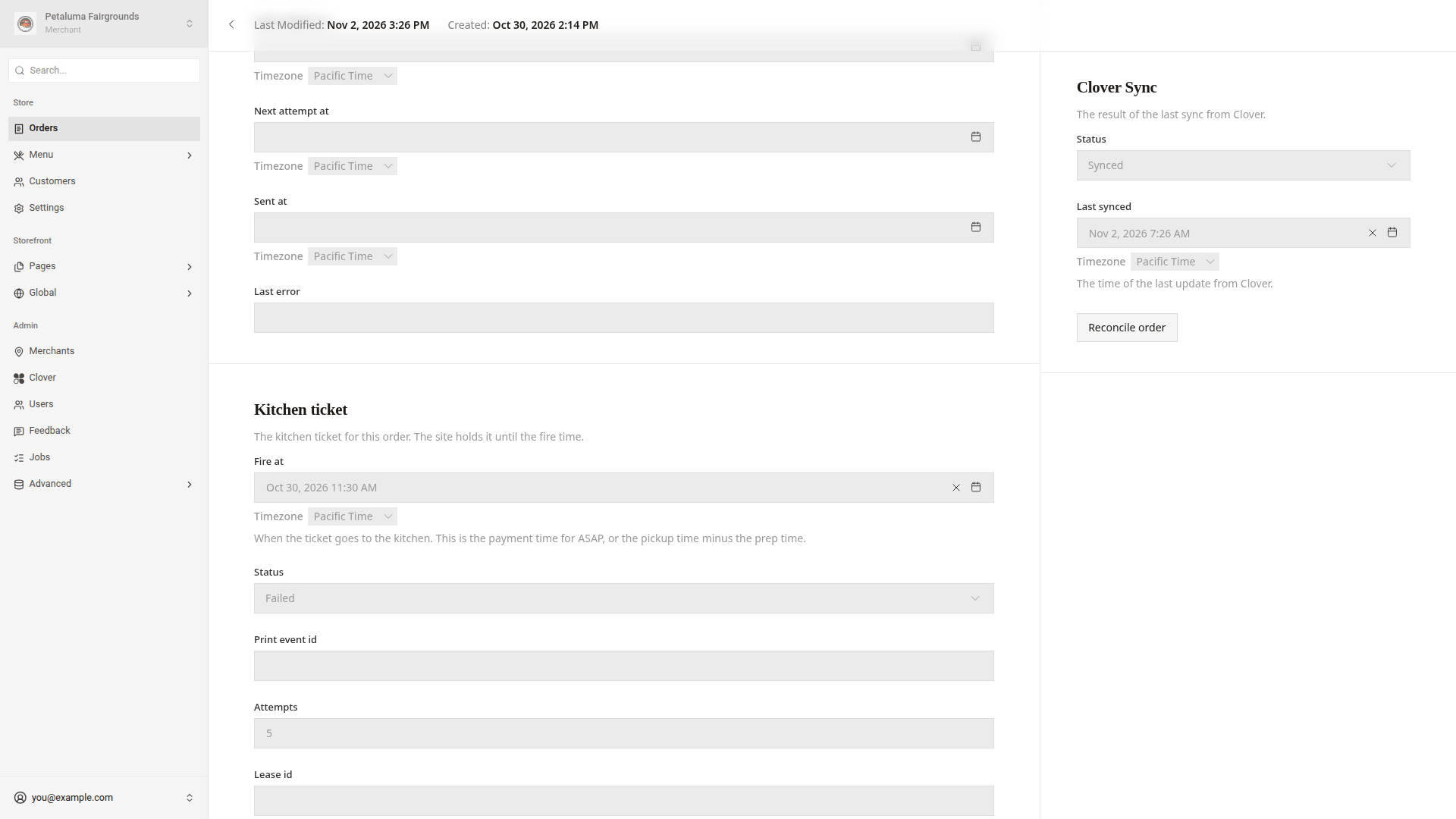
Check for Failed, or Sending more than 3 minutes after Fire at. These statuses mean the website could not confirm that Clover accepted the print request.
- Make sure that the Clover printer is on and has paper.
- Open the order in Clover with the same
ELR-number. - Make the order from the items in Clover.
A Sent status confirms that Clover accepted the request. Check the printer if the kitchen still has no ticket.
The website retries failed requests every minute, up to 5 attempts. The website does not retry a Sent ticket.
Good to know
- The dashboard checks a
PendingorUnknownorder with Clover every minute for 24 hours, then every hour until day 7. - The dashboard checks a
Paidorder every 5 minutes for the first hour, then every 6 hours until day 30. - The dashboard does not check a
Failedorder again. After these times, onlyReconcile orderchecks the order. - A refund that you make on the Clover register makes the dashboard check the order right away.
- If the Clover printer was off, check the
Kitchen ticketof each order with aFire attime while the printer was off. - If
Reconcile ordershows "Order reconciliation failed.", refresh the page and clickReconcile orderagain. If the same message shows, ask a developer.