Answer customer questions
Answer common questions about orders, payments, and the website.
Use this page when a customer calls or asks at the counter about an online order.
Where is my order?
The customer can find the order on the website.
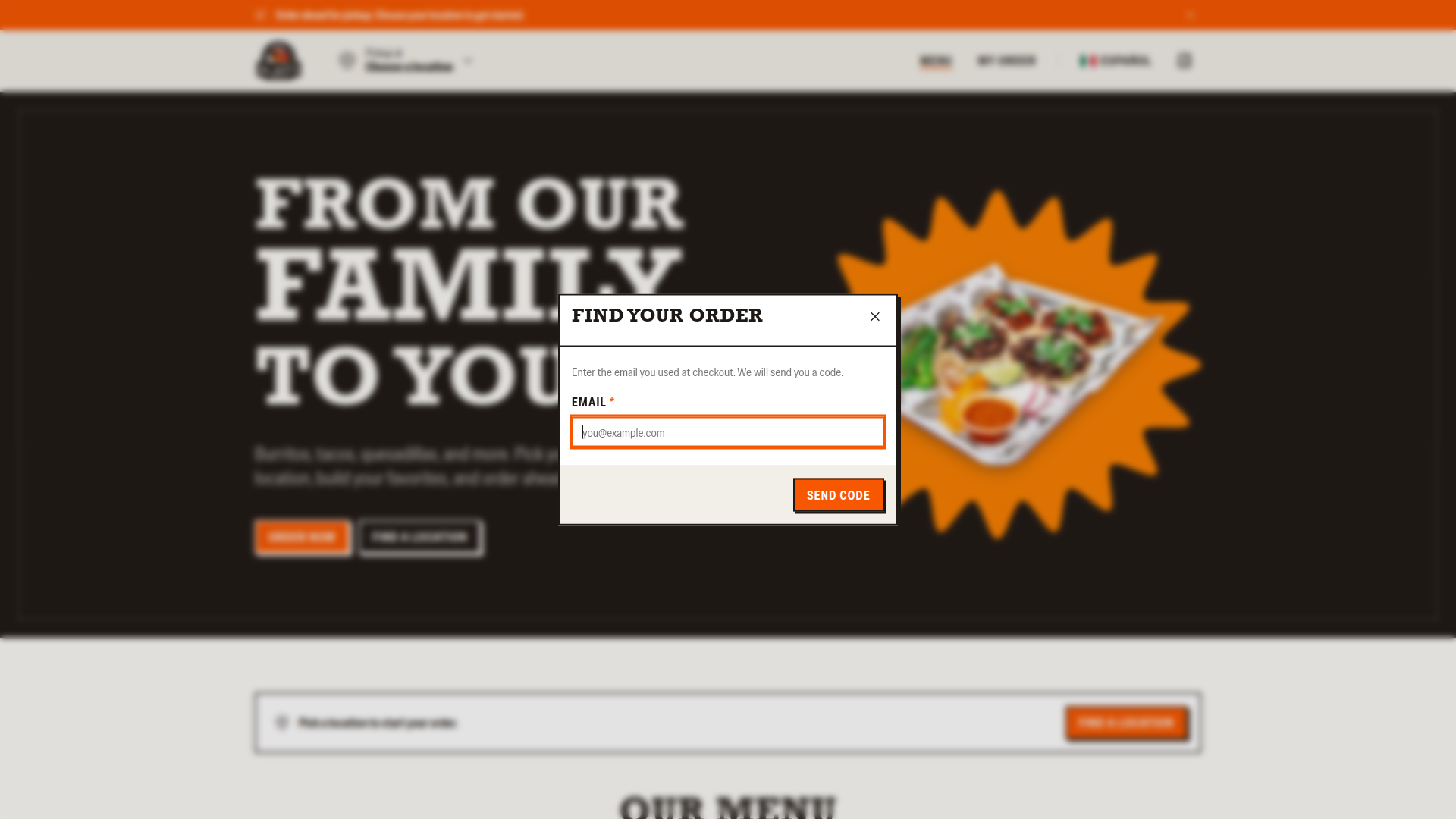
- Tell the customer to click
My orderin the header menu or footer. - Tell them to type the email address that they used at checkout, then click
Send code. - Tell them to type the 6-digit code from the email, then click
Show my orders.
The website lists the orders under "Your recent orders". Each order shows a status: "Paid", "Processing", "Refunded", "Partially refunded", "Canceled", or "Failed". The code works for 10 minutes.
You can also find the order in the dashboard by its order number, or find the customer by email address.
My card was declined
The website shows "Payment was declined. Try another card." Clover did not charge the card, and the cart is still there. Tell the customer to try another card.
My payment is not confirmed
While Clover confirms the payment, the website shows "Confirming your payment". The page checks the payment every 5 seconds for the first minute, then every 15 seconds. After 15 minutes, the page shows "Your payment is still unconfirmed" and Check again.
If the customer sees "Your payment is still unconfirmed", tell the customer not to order again. Then check the order.
- Find the order in the dashboard.
- In the
Clover Syncsidebar, clickReconcile order. - Wait one minute, then refresh the page and read
Status.
Can I cancel my order?
A customer can cancel a paid scheduled order before its fire time while the ticket shows Held and the order has no refund.
- Eligible scheduled order, before the fire time: the customer can click
Cancel orderon the website's order page. The page shows the last time to cancel. The website refunds the full amount. - ASAP order, or at or after the fire time: the customer cannot cancel online. Refund the order in Clover.
Refunds and cancellations shows how.
I did not get a receipt
- Tell the customer to check the spam folder.
- Find the order in the dashboard.
- Check
Receipt emailin theReceiptsection for a typo. - To send the receipt again, click
Reconcile orderin theClover Syncsidebar.
If the email address is wrong, give the customer the order number in person or by phone.
Change the language
The customer clicks Español or English at the top of the website to switch languages. The emails about an order use the language that the customer used at checkout.
Change the location
The customer clicks the location next to "Pickup at" at the top of the website and chooses another location. The website asks "Switch your location?" and moves the cart. Then the website checks the cart against the new location's menu and prices. If the cart changed, the website shows "We updated your cart." with the changes.
Order half and half
When an item shows "Pick one, or two for half and half", the customer can pick two meats instead of one. Each pick becomes a half portion. The two meats must be different.
Other messages customers see
| Message on the website | What it means |
|---|---|
| "This location is not taking pickup orders right now." | The store is closed or paused. Open, close, or pause a store |
| "That pickup time is no longer available. Choose another time." | The time passed during checkout, or a staff member turned the time off in the dashboard. Turn off pickup times |
| "Something in your cart is no longer available." | An item is sold out or turned off. Turn menu items off and on |
| "Your total changed. Check the new total and try again." | A price changed in Clover during checkout. The card was not charged. |
| "Too many tries. Wait a few minutes, then try again." | The website allows 8 payment tries for each cart in 10 minutes. Ask the customer to wait 10 minutes. You cannot reset the limit. |