Store
Customers
Find a customer profile and review their order history.
A customer profile holds information for anyone who ordered or made an account.
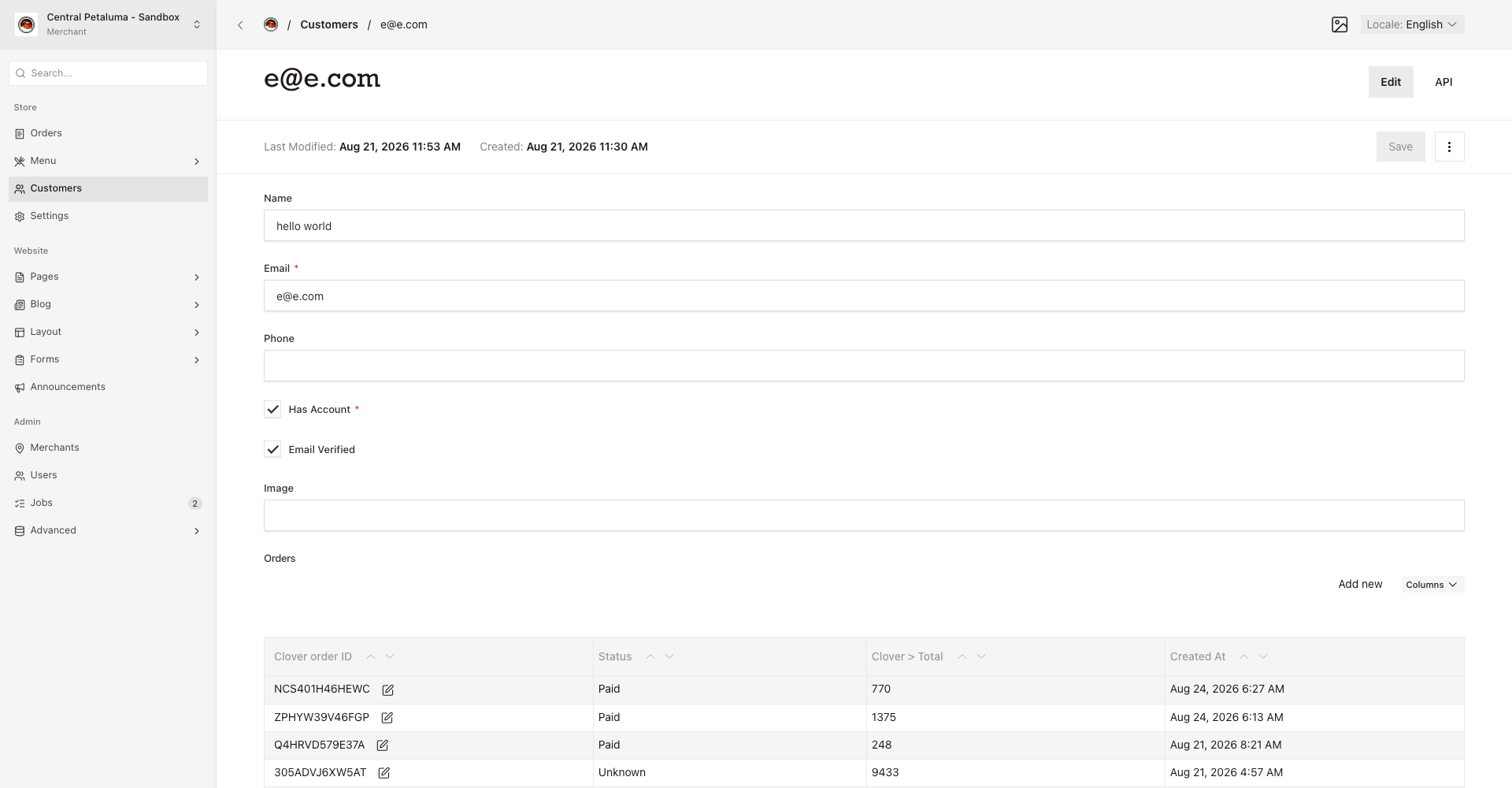
Find a customer
- Open
Store > Customers. - Search by email.
- Open the result.
The list shows Email, Name, and Has Account.
Review what a customer ordered
- Open the
Orderstable. - Open an order.
- Read the order number, status, total, and time.
Good to know
The profile holds the name, email, and phone number. It also shows whether the customer made an account and whether they confirmed their email address.