How online orders work
Follow an online order from checkout to the kitchen ticket.
Customers order and pay on the website. Clover takes the payment and prints a kitchen ticket at the store. You do not need to accept an order in the dashboard.
Each order has an order number that starts with ELR-. The customer sees it on the confirmation page and in the receipt email. In the dashboard, the number shows in the Clover > Title column of Orders.
ASAP orders
An ASAP order is ready as soon as the kitchen can make it.
- The pickup time is the payment time plus the store's prep time.
- Clover prints the kitchen ticket right after the payment.
- The customer cannot cancel an ASAP order on the website. The customer must call the store.
Scheduled orders
A scheduled order has a pickup day and time that the customer chose at checkout.
- The kitchen ticket prints at the fire time. The fire time is the pickup time minus the prep time.
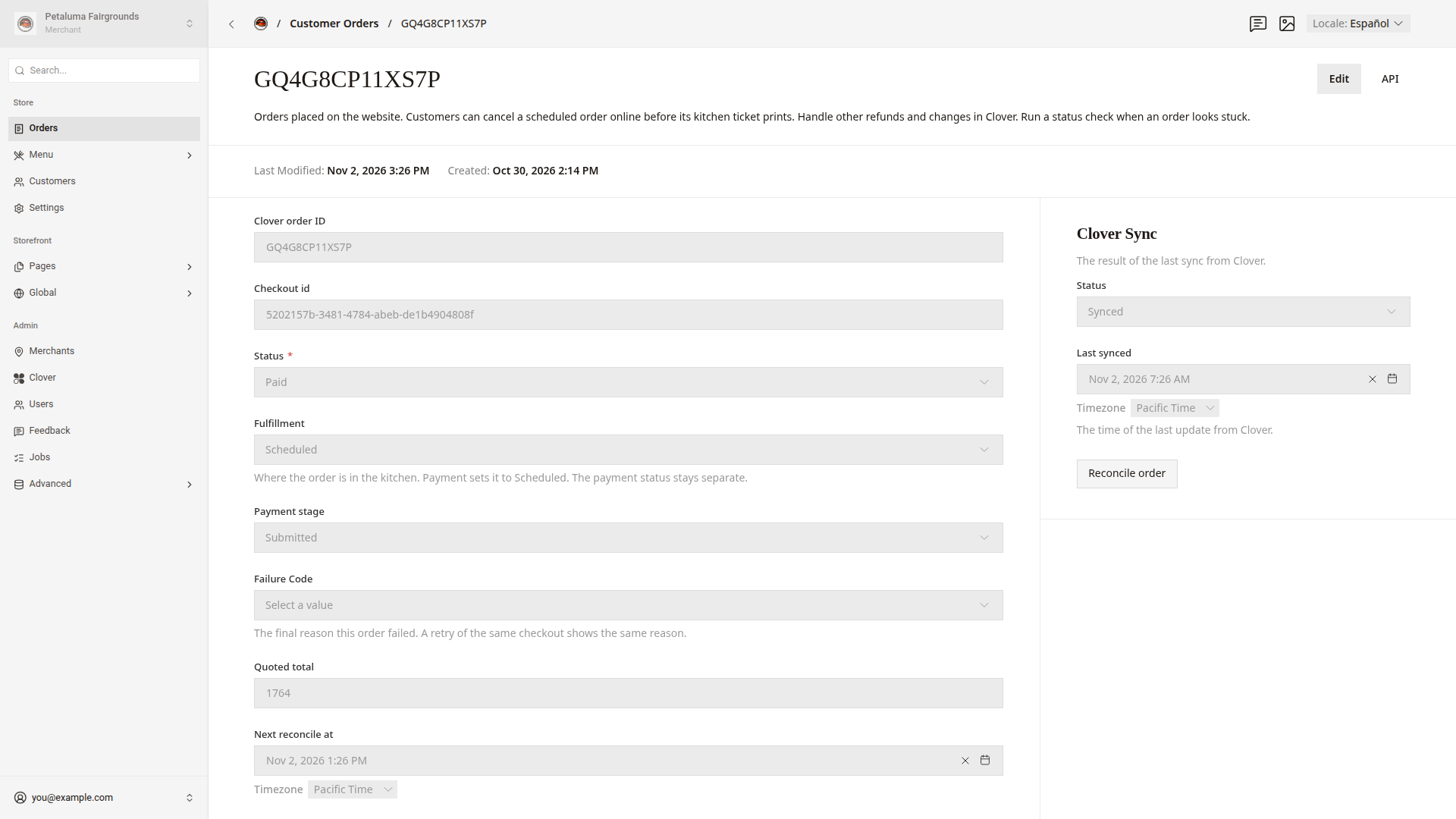
- Before the fire time, the customer can cancel while the ticket shows
Heldand the order has no refund. The website then refunds the full amount through Clover. - At the fire time, online cancellation closes even if the ticket has not printed. The customer must call the store.
You set the prep time and how many days ahead customers can order. Set ordering times shows how.
Kitchen tickets
Clover prints the kitchen ticket on the store's printer. The ticket shows the order number, the customer's name and phone number, the pickup time, and if the customer wants napkins and utensils.
- If Clover does not accept a print request, the website tries again every minute, up to 5 tries in all.
Sentconfirms that Clover accepted the request. The dashboard cannot confirm that paper printed.- The website skips the ticket if the customer canceled the order.
- The website also skips the ticket if the fire time passed more than 1 hour ago.
The dashboard does not alert you when a ticket does not print. Fix a stuck order shows how to check an order's ticket.
Emails the customer gets
The website sends these emails in the language the customer used at checkout. This table shows the English subjects. A customer who paid in Spanish gets the Spanish subjects.
| When the website sends it | |
|---|---|
| Receipt, subject "Order #ELR-… · El Roy's" | After the payment goes through |
| Cancellation, subject "Order #ELR-… canceled · El Roy's" | After the customer cancels online and the refund goes through |
| Order code, subject "Your El Roy's order code" | When the customer asks to see past orders on the website |
Good to know
- A refund that you make in Clover does not send an email. The customer's order page on the website shows "Refund issued" or "Partial refund issued".
- The website does not send a text message or a "ready" email. Tell the customer in person when the order is ready.