

Turn menu items off and on
Hide an item, a choice, or a category from the website at one store.
Use Menu availability when one store runs out of an item or a choice, such as a salsa. Menu availability hides the entry from the website at that store. Clover does not change.
Menu availability is below the store cards on the dashboard home. It changes only the store that you chose in the store switcher. The line under the title names that store, such as "Disabled entries are hidden from the menu at Petaluma Fairgrounds."
Find an entry
- In the store switcher, choose the store.
- On the dashboard home, scroll down to
Menu availability. - Type part of the name in
Search catalog entries.
Each section opens and shows the entries that match. The sections are Proteins · whole, half, and linked extras, Categories, Items, Item groups, Modifier groups, and Modifiers. A section shows only when the store has entries of that kind.
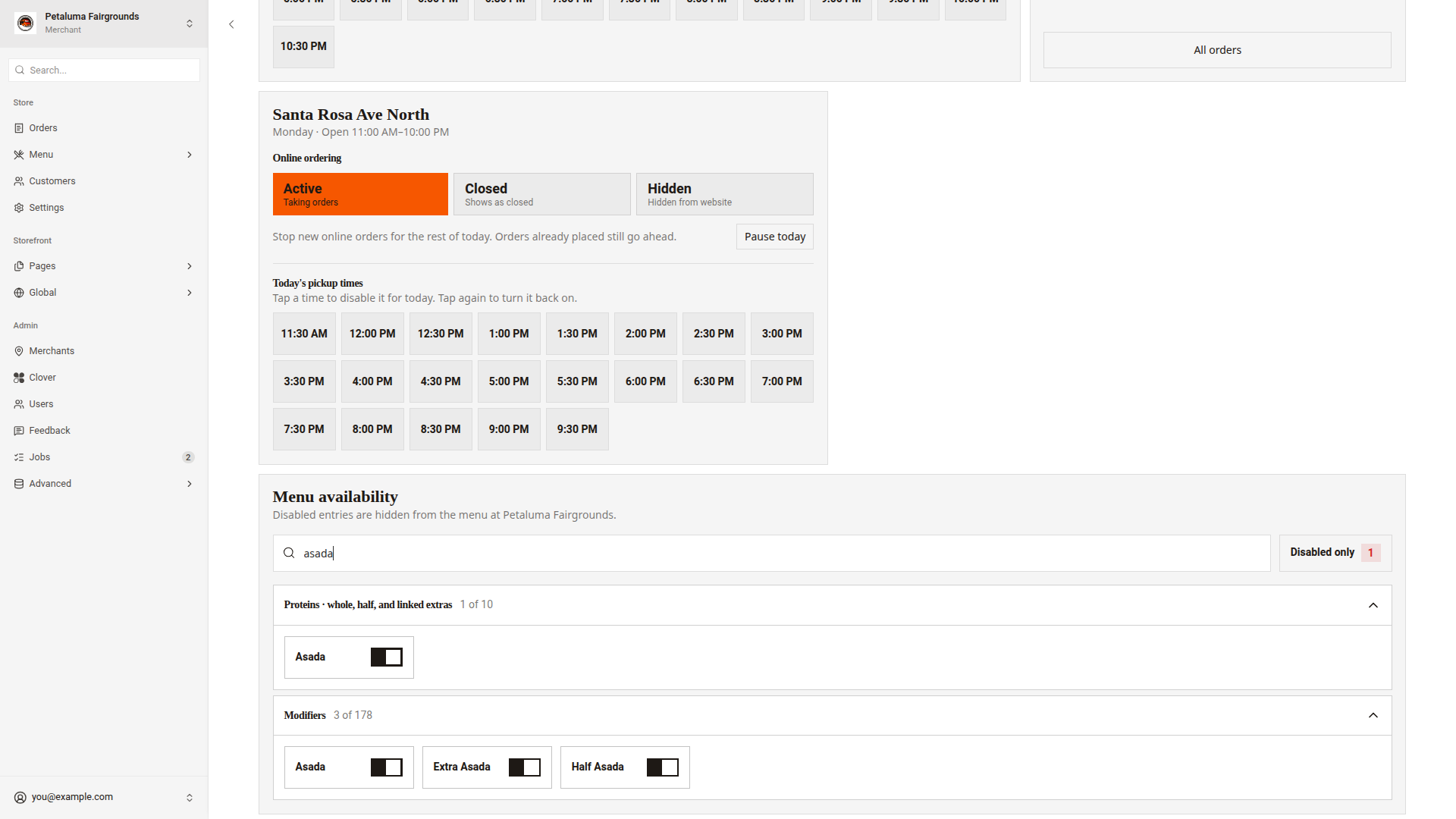
Turn an entry off
- Find the entry.
- Click the switch next to its name.
The entry turns red, and a line goes through its name. A message shows the name and "disabled", such as "Asada disabled". To change the entry back, click Undo in the message.
What the website hides depends on the section.
| Section | What the website hides |
|---|---|
Categories | The whole category |
Items | The item |
Item groups | Every size or version in the group |
Modifier groups | Every choice in the group |
Modifiers | The choice |
Stop a protein
Use the Proteins section when the kitchen runs out of a meat. One switch turns off the whole meat, the half portion, and the extra portion.
- Click
Proteins · whole, half, and linked extrasto open the section. - Click the switch next to the meat.
A message shows the meat's name and "and linked portions disabled", such as "Asada and linked portions disabled". This message has no Undo. To turn the meat back on, click its switch again.
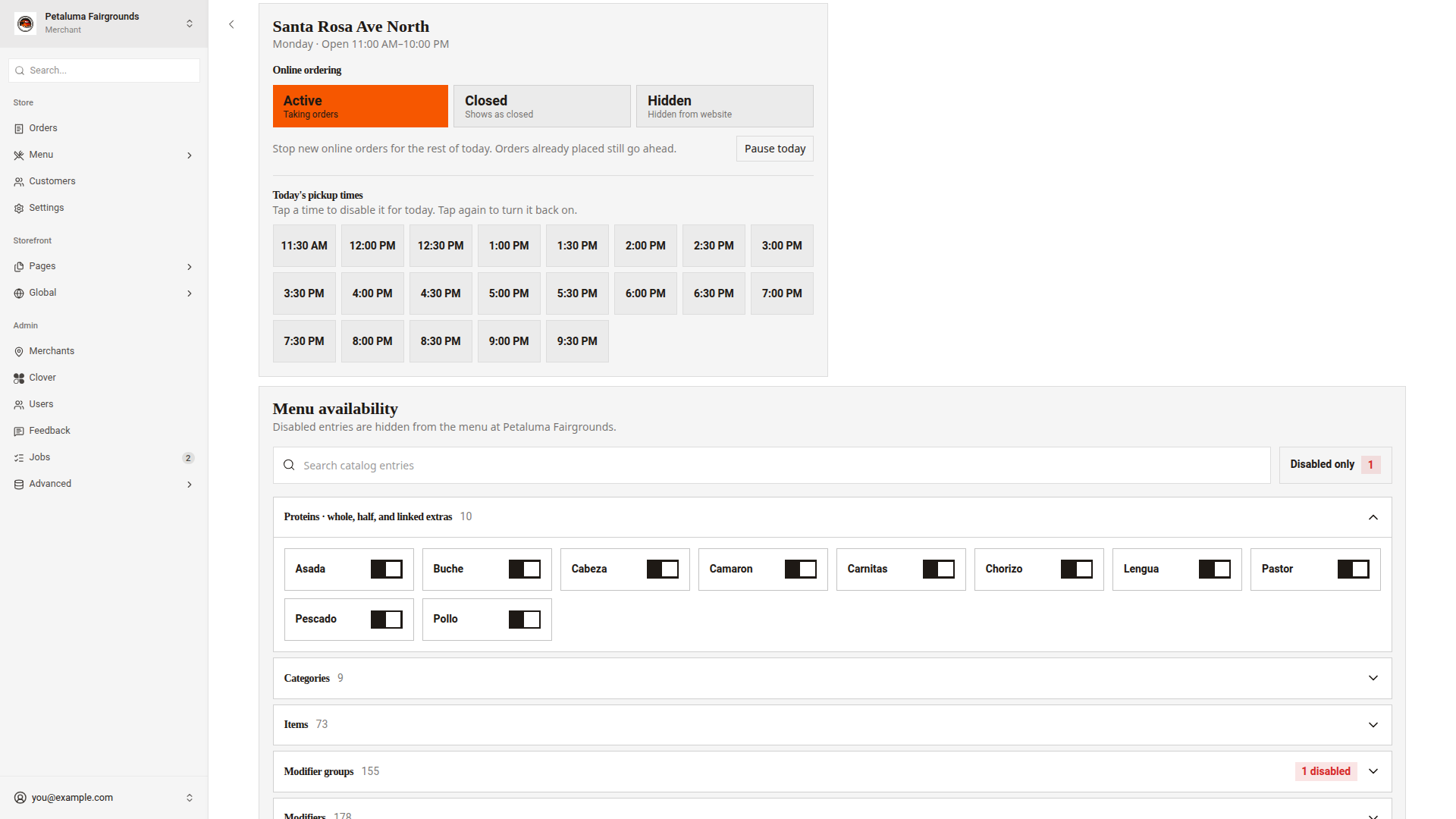
The links between a meat and its half and extra portions come from the menu. Edit modifiers shows how to set them.
Turn an entry back on
- Click
Disabled only. The number next toDisabled onlyshows how many entries are off. - Click the switch next to the entry.
A message shows the name and "enabled", such as "Asada enabled".
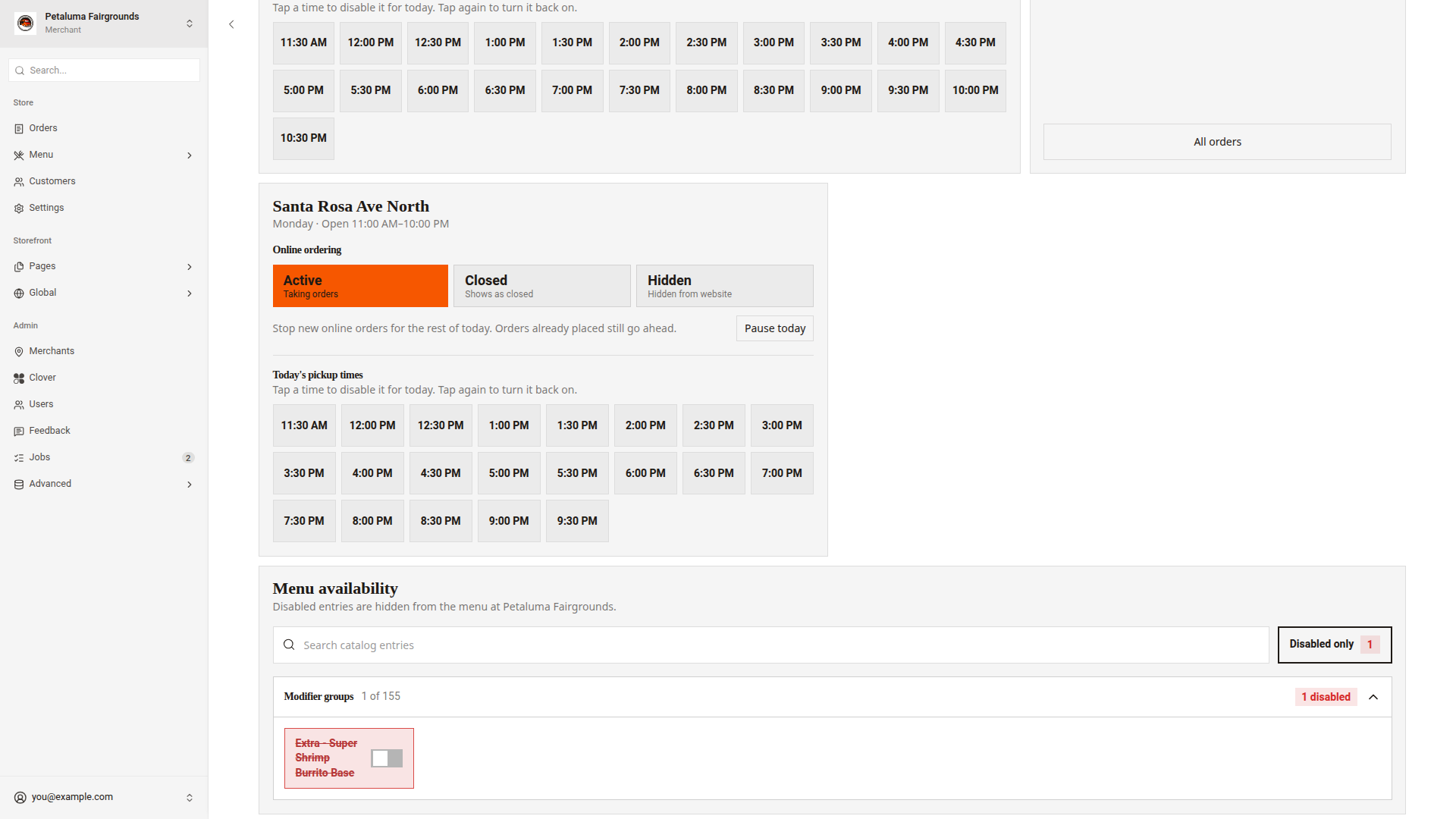
Disabled or sold out
| Disabled | Sold out | |
|---|---|---|
| Who sets it | You, in Menu availability | Clover, from the stock |
| What customers see | Nothing. The entry is hidden. | The entry with the label Sold out. Customers cannot pick it. |
| When it ends | When you turn it back on | When Clover has stock again |
Good to know
- A disabled entry stays off until you turn it back on. The entry does not come back on at midnight.
- If you turn off every choice in a group that customers must pick from, the items that use the group disappear from the menu.
- A change applies to one store only. To change another store, choose it in the store switcher first.
- If a message shows "Could not update the catalog entry.", the switch goes back to how it was. Click the switch again.