

Edit modifiers
Edit add-ons and choices, link half portions, and block choices that conflict.
A modifier is one choice for an item, such as a salsa, a meat, or "No Onion". Clover sets each modifier's price. The dashboard sets the modifier's website name, its calories, and its links to other modifiers.
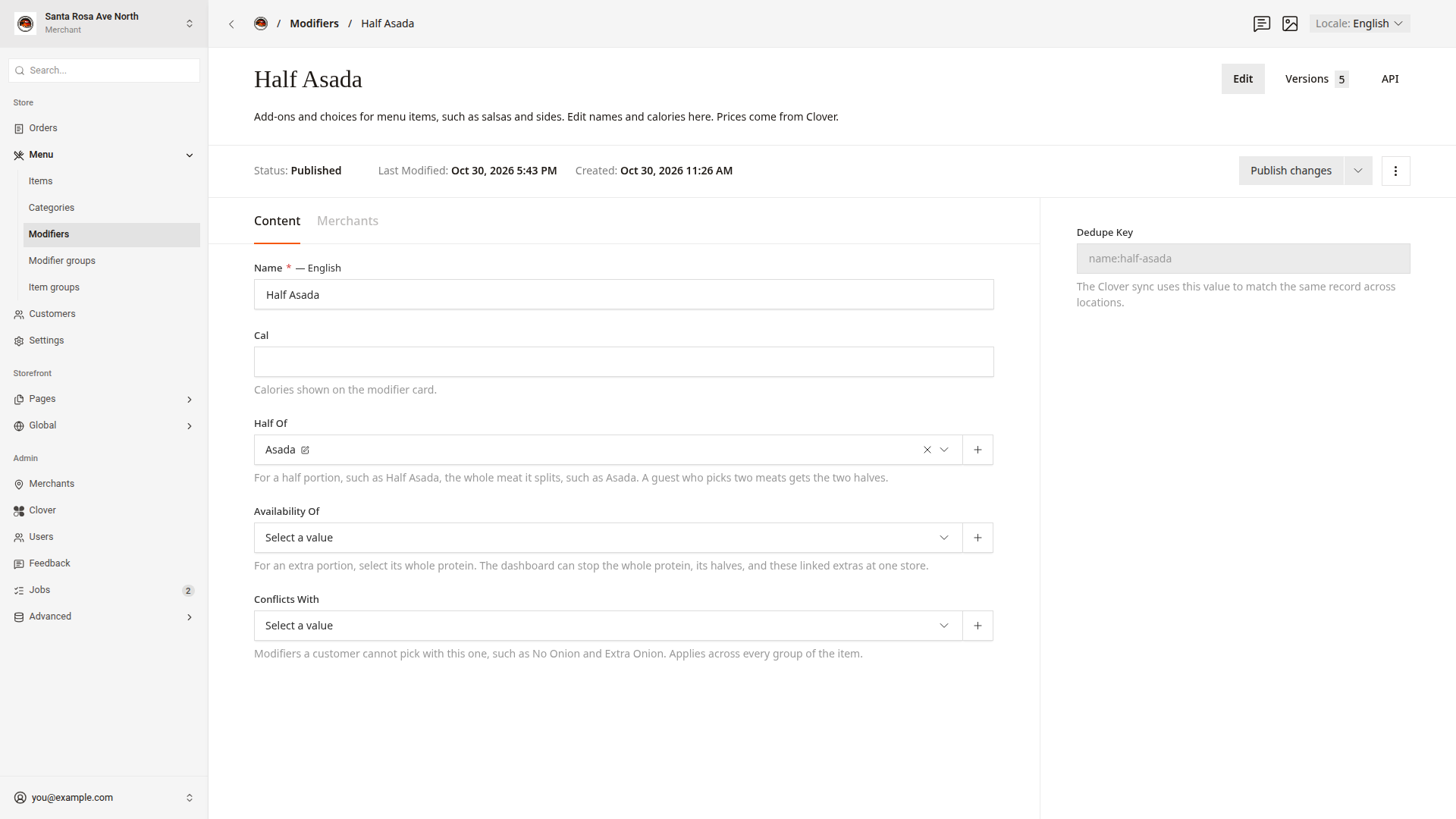
Change a name or calories
- Click
Menu > Modifiersin the side menu. - Type the modifier name in the search box.
- Click the modifier to open it.
- Change
Name, or type the calories inCal. - Click
Publish changes.
Link a half portion
A half portion, such as Half Asada, splits a whole meat, such as Asada. The Half Of link lets a customer pick two meats for half and half. The link also lets you stop the meat and its half together in Menu availability.
- In
Menu > Modifiers, open the half portion, such as Half Asada. - In
Half Of, pick the whole meat, such as Asada. - Click
Publish changes.
Link an extra portion
An extra portion, such as Extra Asada, adds more of a meat. The Availability Of link lets you stop the meat and its extra together in Menu availability.
- In
Menu > Modifiers, open the extra portion, such as Extra Asada. - In
Availability Of, pick the whole meat, such as Asada. - Click
Publish changes.
Availability Of does not list half portions or other extra portions.
Block choices that conflict
Use Conflicts With when two choices cannot go together, such as No Onion and Extra Onion.
- In
Menu > Modifiers, open one of the modifiers, such as No Onion. - In
Conflicts With, pick the other modifier, such as Extra Onion. - Click
Publish changes.
The customer cannot pick both modifiers, even when they are in different modifier groups of the item.
Publish a modifier
The dashboard saves a modifier draft about every 1.5 seconds while you type. The website shows a change only after you click Publish changes. Drafts and publishing explains drafts.
Good to know
- Modifiers have no photo and no description on the website.
- If a modifier's
StatusshowsDraft, the website shows the modifier's Clover name. The website also ignores itsCal,Half Of, andConflicts Withvalues. - To stop a meat and all its linked portions, use the
Proteinssection ofMenu availability. Turn menu items off and on shows how.