

Website
Blog
Write and publish blog posts, then organize them with categories.
The blog holds posts and the categories that group them. Make a category before you need it on a post.
Write a post
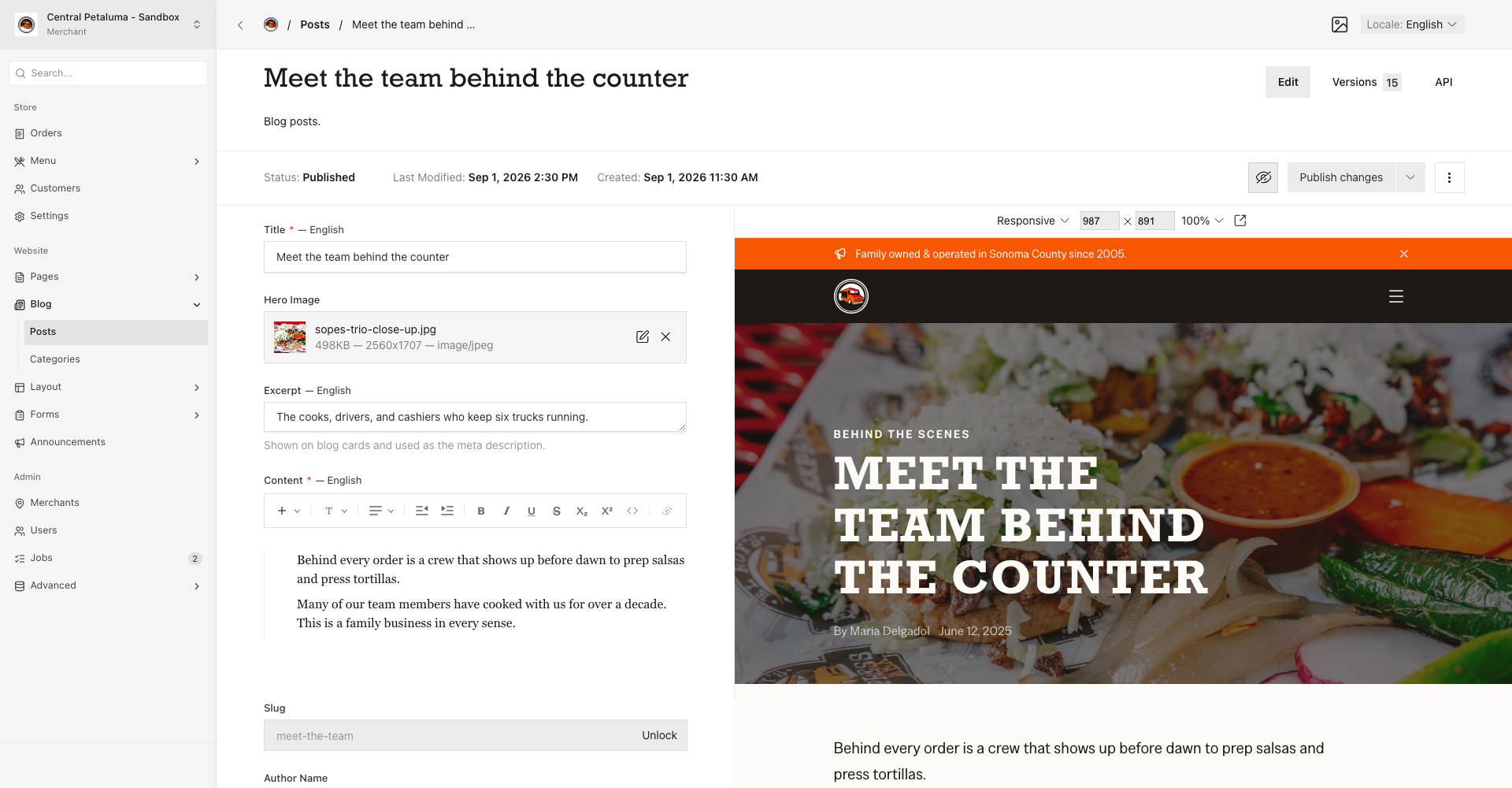
- Open
Website > Blog > Posts. - Create a post or open an existing post.
- Edit the
Title,Excerpt, andContentboxes. Use theLocaleswitch for Spanish text. - Add a
Hero Image,Author Name,Categories,Related Posts, orPublished Atif you need them. - Open
Live Previewto check the post. - Choose
Publish changeswhen the post is ready.
Good to know
The Excerpt shows on the post cards and gives the post description. Published posts appear at /blog/ plus the web address you set. The blog sorts posts newest first by the Published At date. Leave Published At empty to use the first publish time. Drafts do not appear on the blog.
Web address breaks links
A new web address breaks any link that points at the old one.