

Find a missing item
Check why an item does not show on the website and fix it.
Use this page when an item is in Clover but does not show on the website. Check Clover first, then the dashboard.
An item that is out of stock does not go missing. The website shows the item with the label "Sold out".
Check Clover
In Clover, open the item at the store and check these settings.
Show onlineis on.- The item is in a category.
- The item has no age limit. Items with an age limit never show on the website.
Check the dashboard
- Click
Menu > Itemsand open the item. - Click the
Merchantstab. If the store is not in the list, the dashboard does not have the item yet. Sync the item, as "Sync the item again" shows. - In the store switcher, choose the store.
- On the dashboard home, click
Disabled onlyinMenu availability. - If the list shows the item, its item group, its category, or one of its modifier groups, turn that entry on.
- If the list shows every choice of a group that customers must pick from, turn on at least 1 choice.
- Click
Menu > Categoriesand open the item's category. IfStatusshowsDraft, clickPublish changes.
If no item shows for the store, check the store's card on the dashboard home. If Hidden is selected under Online ordering, the website does not show the store. Open, close, or pause a store shows how to make the store Active again.
Sync the item again
- In the store switcher, choose the store.
- Click
Advanced > Clover data > Itemsin the side menu. - Type the item name in the search box.
- Click the item to open it.
- In the
Clover Syncsection, clickSync now.
A message shows "Clover sync queued." Wait 1 minute, then check the website again.
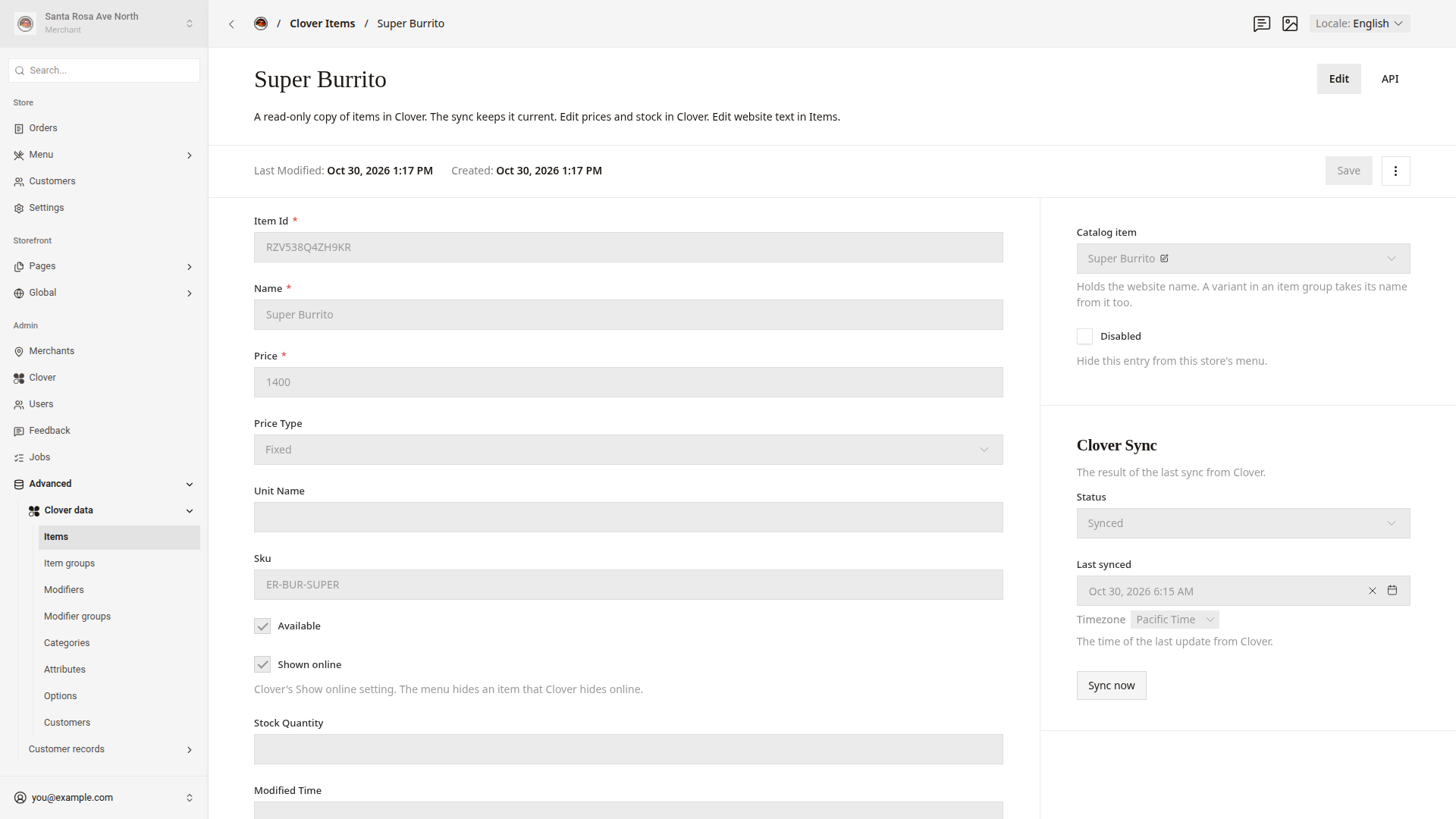
This screen also shows what Clover sends for the item: Available, Shown online, Stock Quantity, and the categories.
Good to know
- If the message shows "Clover sync failed.", Sync with Clover shows how to fix a sync error.
- To sync the whole store, use
Sync merchant. Sync with Clover shows how. - If
Menu > Itemslists the item twice, the stores use different SKUs or names for it in Clover. Use the same SKU, or the same name, at every store. - If you still cannot find the reason, ask a developer. Give them the item name and the store.